Permissions #
File permissions determine the access rights for files and directories. Permissions are based on a combination of read, write, and execute access for the owning user, group, and others. The chmod command is used to change these permissions.
Permissions Types #
r(read) : Allows a user to read the file’s content or list the content of a directory.w(write) : Allows a user to modify the file’s content or add/remove files within a directory.x(execute) : Allows a user to execute a file as a program or access a directory’s content.
Permission Categories #
- Owner: The owning user for the file or directory.
- Group: The group of users that have the same permissions on the file or directory.
- Others: All other users on the system.
Notation #
Permissions can be represented using symbolic notation, where each permission is a single character (r, w, or x), and the three categories are written in the order owner, group, and others. The first character indicates the file type e.g. - for a regular file and d for a directory.
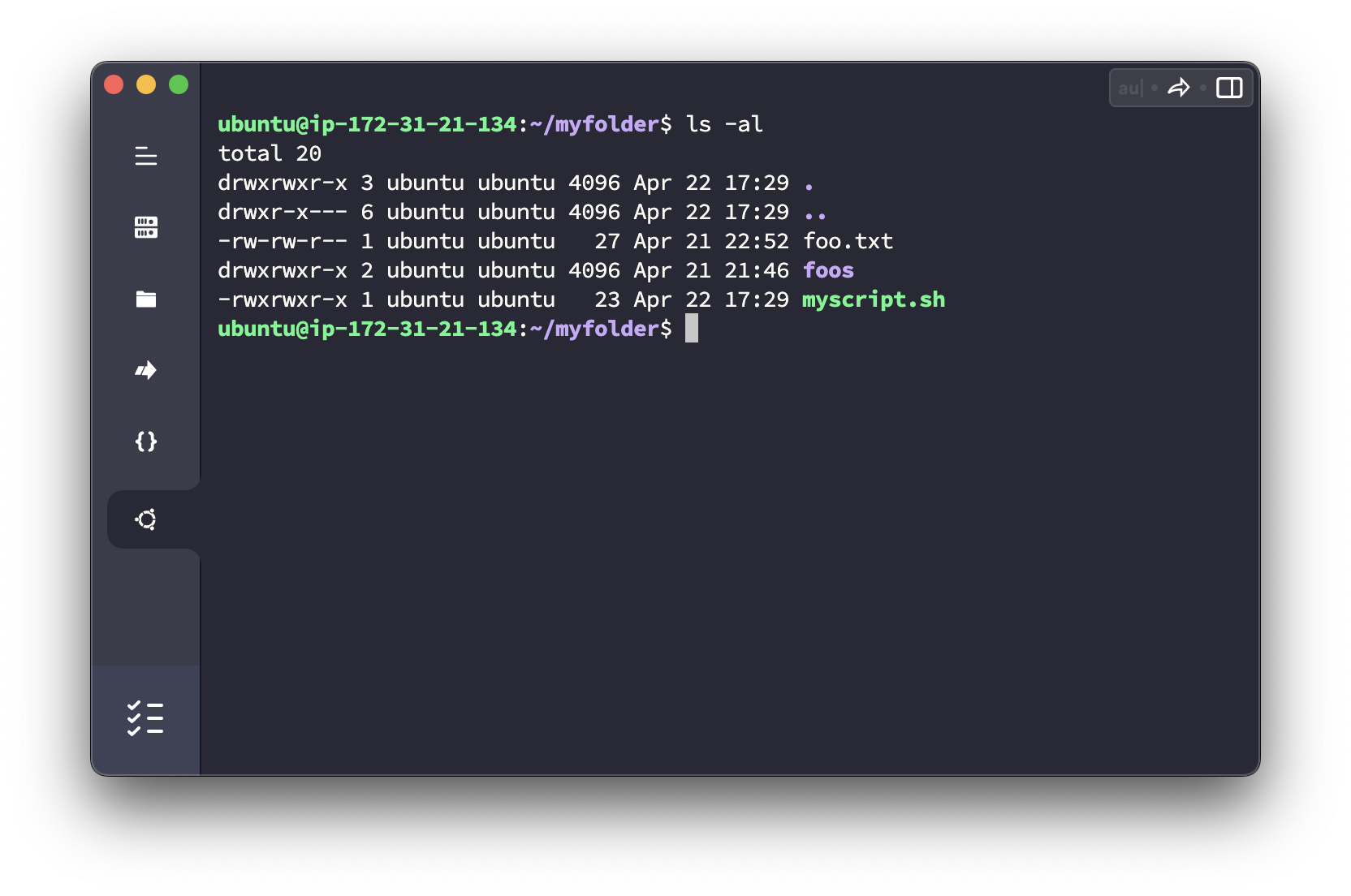
Changing permissions #
You can change permissions using the chmod command in two ways: symbolic mode and numerical mode. To change permissions, you’ll need the appropriate access rights. Typically, only the file owner or a user with administrative privileges can modify file permissions.
Symbolic mode #
In symbolic mode, you use letters to represent the categories (u for the owning user, g for group, o for others, a for all/everyone) and the permission types (r, w, x). You can add (+), remove (-), or set (=) permissions.
chmod u+x file.sh       # Add execute permission for the owning user
chmod g-w file.sh       # Remove write permission for the group
chmod o=r file.sh       # Set read-only permission for others
chmod a=rw file.sh      # Set read and write permissions for everyone
chmod u-x,g-x file.sh   # Remove the user and group execute permission
chmod +x file.sh        # Add execute permission for everyone
Numerical mode #
In numerical mode, you use octal numbers (from 0 to 7) to represent the permissions for each category. Each digit is the sum of the read (4), write (2), and execute (1) permissions.
chmod 700 file.sh # rwx --- ---
chmod 760 file.sh # rwx rw- ---
chmod 644 file.sh # rw- r-- r--
chmod 666 file.sh # rw- rw- rw-
chmod 755 file.sh # rwx r-x r-x
Try both modes as it can be easier to set all permissions at once in numerical mode, and add or remove specific permissions in symbolic mode for example.
| Octal | Permissions | Symbol |
|---|---|---|
| 7 | read, write and execute | rwx |
| 6 | read and write | rw- |
| 5 | read and execute | r-x |
| 4 | read only | r-- |
| 3 | write and execute | -wx |
| 2 | write only | -w- |
| 1 | execute only | --x |
| 0 | none | --- |